
Home › Running the fleet
Releases and rollouts
How a new version of OPSAVOR reaches customers: practice copies first, then real customers in small groups during their quiet hours, with a health check after each. Pausing, retrying and rolling back.
The idea
A release should never reach every customer at once. The fleet console moves a new version out in stages, checks that each customer is healthy before going on, and stops by itself the moment one is not. Most of the time you only watch.
- Practice and test copies first. Development, testing, staging and demo tenants are updated as soon as the release exists.
- Wait for the window. Real (production) customers are only moved while their upgrade window is open, so nobody is interrupted at a busy time.
- The canary. The first production batch is a single customer. If it is healthy after the soak, the rest follow.
- Waves. Then batches of about 10% of production customers at a time, each checked before the next.
- Any failure stops everything. The failed customer is put back on the version it had, the rollout halts, and the page says why.
Just before a customer is moved, the console asks that customer's own copy to save a consistent backup of its data (you see it on their page as a pre-update backup). If it cannot, that customer is not updated: the rollout halts with pre_update_backup_failed and the reason. Fix the cause, then Retry and resume. Demo tenants are updated even if their backup fails, since their data is made up; staging and other restaurant copies are not.
Watching a rollout
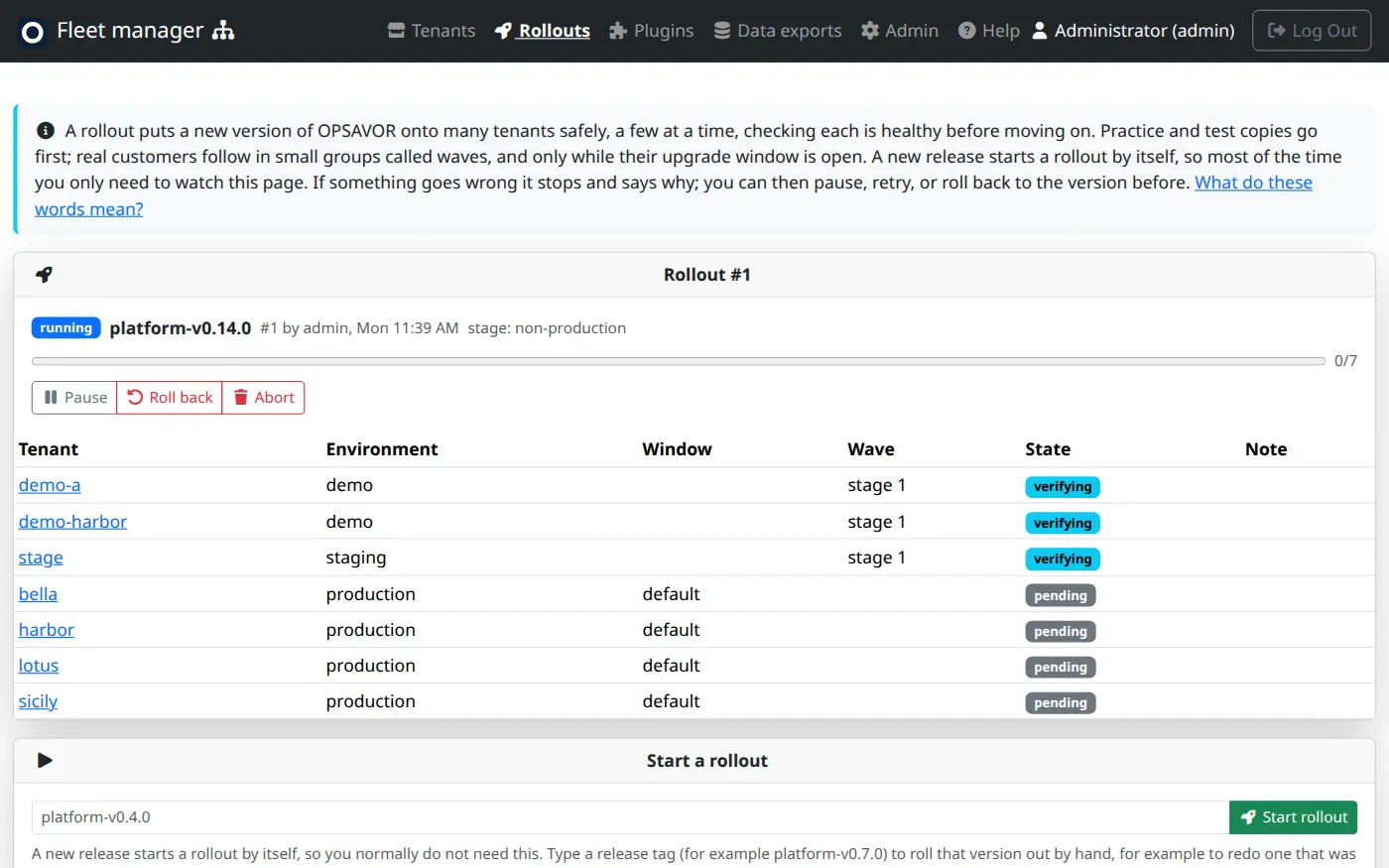
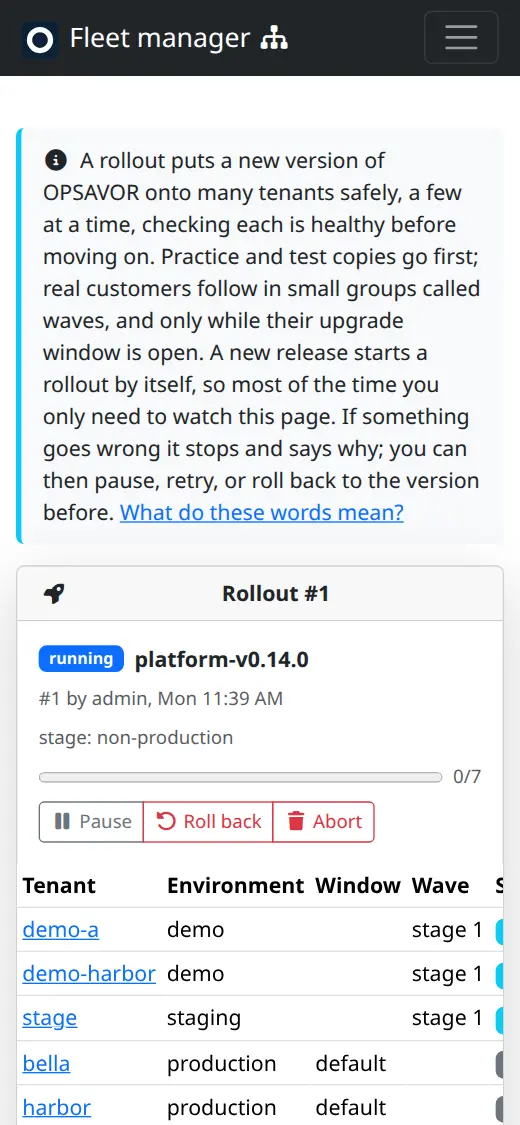
Open Rollouts. The top card is the current rollout: the version, who or what started it, a progress bar, and one row per tenant with its state.
| State | Means |
|---|---|
| pending | Queued. Its turn has not come, or it is waiting for the window. |
| updating / verifying | Being moved, then checked. |
| healthy | On the new version and answering. |
| failed | Did not come up, or did not report the new version. The rollout has halted. |
The rollout itself shows waiting (for a window), running, paused, halted (a customer failed), succeeded or aborted. A rollout that is waiting for its window is normal: it does not block a rehearsal update from reaching staging in the meantime.
Controls
| Button | Who | What it does |
|---|---|---|
| Pause / Resume | Ops | Stop moving new customers; resume carries on. On a halted rollout, Retry and resume tries the failed customer again once the cause is fixed. |
| Start now | Admin | Skips the wait for the window. For emergencies only. You must give a reason, and it is recorded. |
| Roll back | Ops | Moves every customer this rollout changed back to the version before, through the same stages, windows and checks. Skipping the windows needs an admin. |
| Abort | Ops | Stops the rollout where it is. Customers already moved stay on the new version. |
Going back puts the previous version on the customer's current data, it does not restore an old copy. That is why a new version may only add to the database, never remove or rename things the old version still needs. If you do need the data as it was before the update, restore that customer's pre-update backup from their page (see Backups and restores).
Upgrade windows
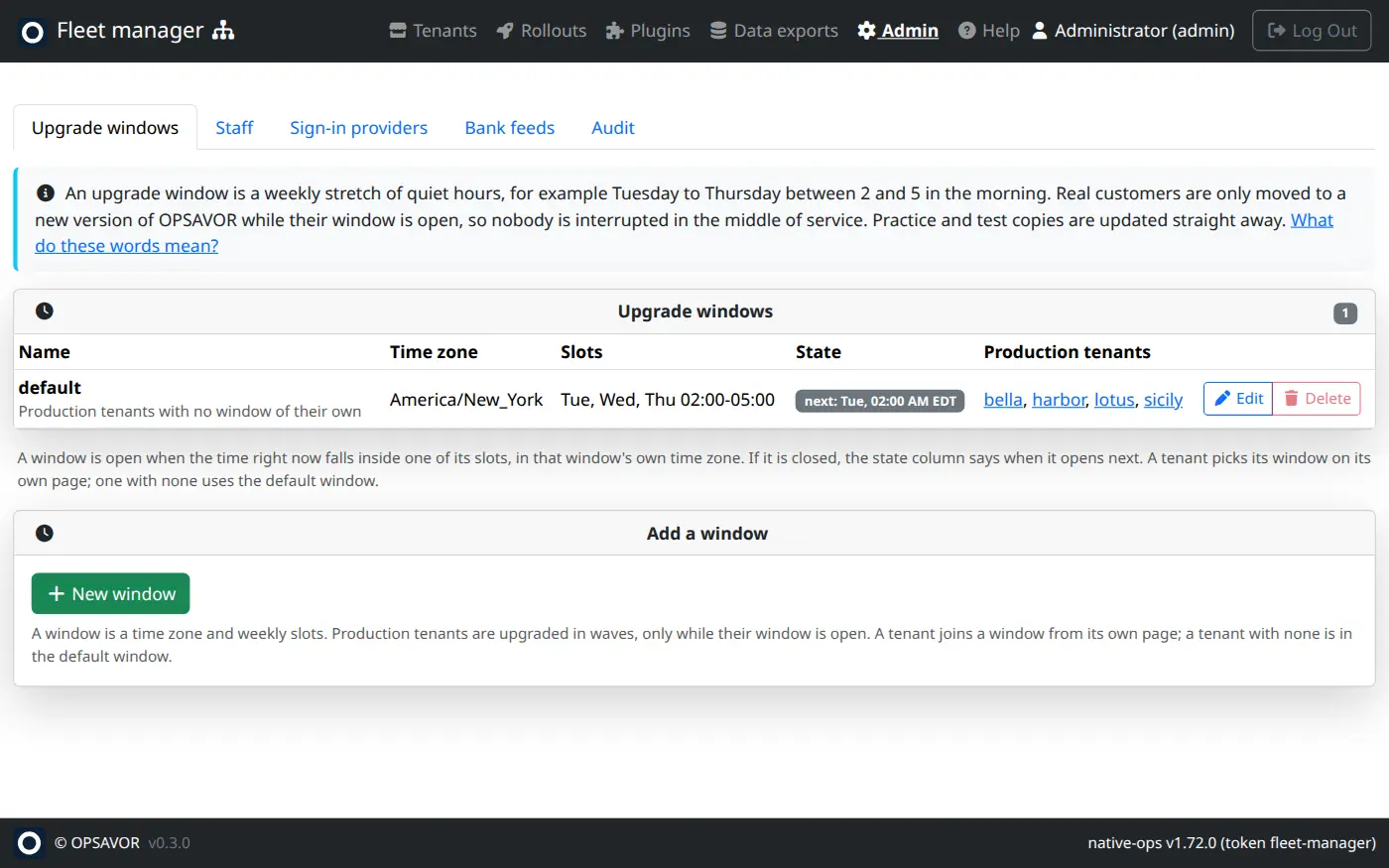
A window is a weekly stretch of quiet hours in a time zone. The built-in default is Tuesday to Thursday, 02:00 to 05:00 New York time. A production customer with no window of its own uses the default; give a customer a different window on their page under Environment and upgrade window.
Test copies
A test copy is a separate business made from another copy's backup, with personal details scrubbed. Use one to try a release or a plugin without touching the customer. Plugins built on a test copy survive a refresh, so you can iterate on them there. A test copy is not a customer: it never receives a production rollout, and you can delete it when you are done.
The strategy
How careful a rollout is can be tuned by an admin at the bottom of the Rollouts page. The defaults are sensible:
| Setting | Default | Meaning |
|---|---|---|
| Wave size | 10% | Share of production customers in each batch after the first. |
| First wave (canary) | 1 | How many real customers go first. |
| Soak | 120 s | How long to watch after each batch before the next. |
| Health timeout | 60 s, plus 1 s per MB of data | How long a customer gets to come back up. Bigger databases get more time, up to 15 minutes. |
| Give up on a customer after | 30 minutes | Then it counts as failed and the rollout halts. |
| Wait for non-production | On | Real customers start only once every practice copy is healthy. |
A rollout copies the settings when it starts, so changing them never affects one already running.
Plugin releases are separate
A plugin has its own versions and does not move with a platform rollout. Tagging a plugin version publishes it to the store, and customers pull it from there (see Plugins and the store). A plugin can need a newer platform than a customer runs, so check a customer's release before giving them a plugin. Most current store versions need platform-v0.27.0 or later.
For engineers: cutting a release
A release is a git tag. Nobody runs the host by hand.
The platform (the product)
- Merge to
main. The tests run, and the build is rolled onto staging tenants automatically. - When you are ready for customers, tag the commit:
git tag platform-v0.8.1 && git push origin platform-v0.8.1. Only the people allowed to push release tags can do this. - CI re-runs the tests on the tag, builds
opsavor-platform:platform-v0.8.1on the host, and starts a rollout in the console. From here, watch Rollouts.
The host builds and applies one thing at a time. If you merge or tag in the deployment repository while a build is running, the second one is refused as busy. Wait for the first to finish.
The fleet manager itself
Tagging fleet-vX.Y.Z only builds the image. It goes live when the version pin in the deployment repository (services/fleet-manager/service.yml) is updated in a merged pull request and a protected deploy-* tag is pushed there. That keeps a change to the thing that manages everything deliberate and reviewed. A deploy-* tag with no pin change applies nothing.
When both change
If a platform release relies on something new in the fleet manager (for example, platform-v0.10.0 moved to a new database mode that relies on the pre-update backup added in fleet-v0.13.0), release the fleet manager first, check that https://fleet.opsavor.work/health reports the new release, and only then tag the platform. The rollout is run by whichever fleet manager is live when the tag arrives.