
Home › Running the fleet
Onboarding a customer
Set up a new restaurant customer: a private copy of OPSAVOR at its own address, with the owner's first sign-in, in a minute or two.
Before you start
You need an Ops or Admin account, and from the customer: the restaurant's name, the owner's email address, the time zone they operate in, and when their point-of-sale's business day starts (it is printed on their end-of-day report, often 4:00 or 4:01 AM).
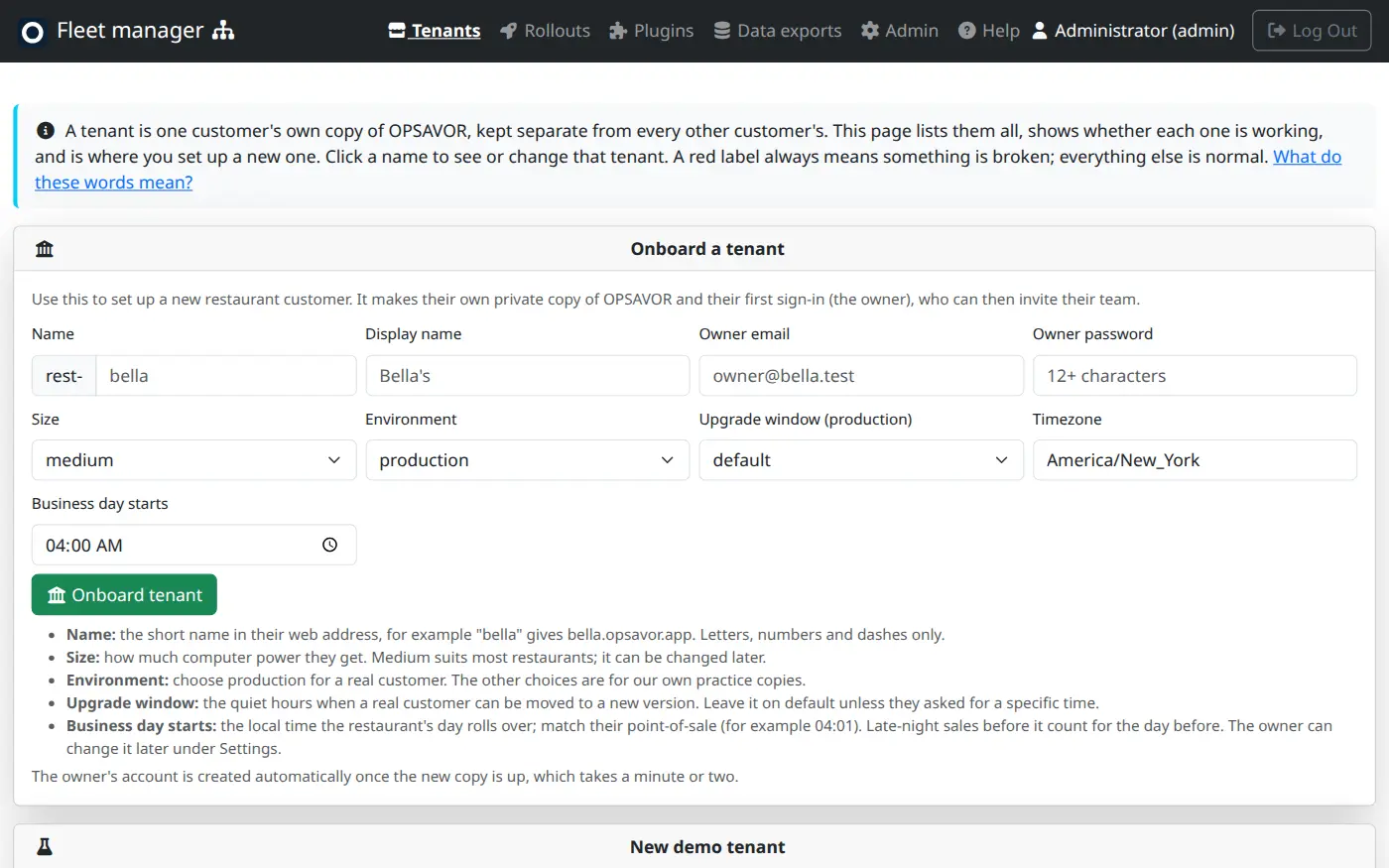
Onboard a tenant
- Open Tenants. The Onboard a tenant card is at the top.
- Fill in the form (below).
- Press Onboard tenant. The new copy is built in the background and appears in the list as creating.
- When it turns running (a minute or two), the owner's account has been created. Open the tenant's page and check the Health line says answering.
- Send the owner their address and sign-in details, and the Getting started page.
| Field | What to put |
|---|---|
| Name | The short name in their web address. bella gives bella.opsavor.app. Letters, numbers and dashes only. It cannot be changed later, so choose carefully. |
| Display name | The restaurant's full name, shown inside the product. |
| Owner email | Who signs in first. They can then invite their team. |
| Owner password | At least 12 characters. Give it to the owner by phone or in person, never by email, and ask them to change it. |
| Size | How much computer power. Medium suits most restaurants and can be changed later. |
| Environment | Production for a real customer. The others are for our own practice copies. |
| Upgrade window | Leave on default unless the customer asked for a specific time. |
| Timezone | The restaurant's local time zone, for example America/New_York. It must be a real time-zone name; a misspelt one is refused. |
| Business day starts | The local time their day rolls over, to the minute. Match their point-of-sale: if its day runs 4:01 AM to 4:00 AM, enter 04:01. Late-night sales before it count for the day before. This is only the starting value: the owner can change it per location under Settings. |
A practice copy
New demo tenant, just below, makes a copy filled with made-up data for showing OPSAVOR to someone or trying something out. It never holds real customer information, and it follows each new release straight away.
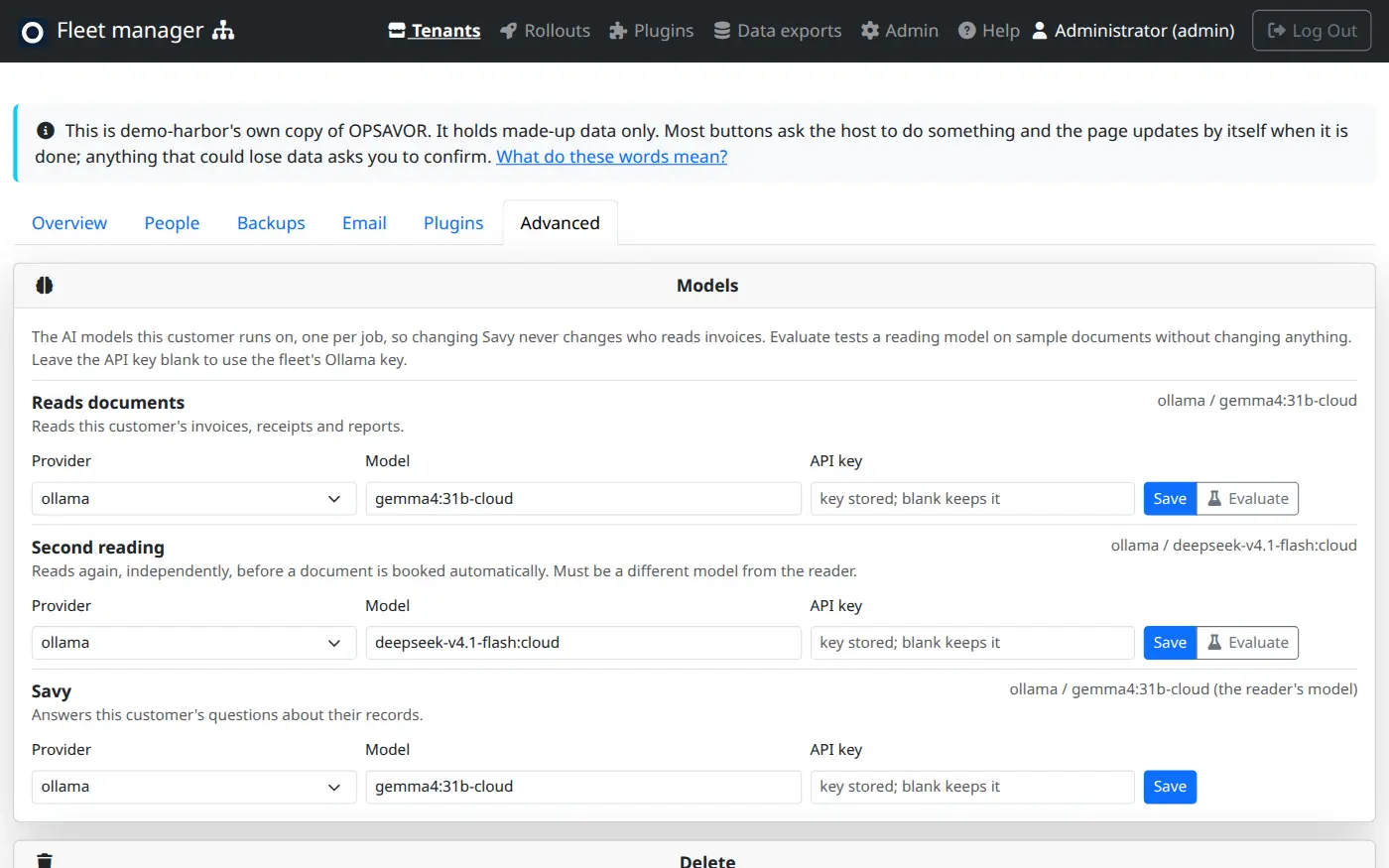
A running demo tenant also has the Models card on its Advanced tab, the same as a restaurant. Use it to choose the models for reading documents, the second reading and Savy, so Savy and plugins can be tried on a demo before a customer sees them. Demo tenants are also the easy place to develop a plugin.
After it is up
- A new tenant has no plugins. To give it some, open its Plugins tab (see Plugins and the store). Check first that its release supports the plugin. The owner approves each one.
- The tenant gets its invoice email address within about a minute. Find it on the tenant's page under Email intake. See Inbound email.
- If the status is failed or the page says the host refused it, press Redeploy once the cause is fixed. See When something is wrong.