
Home › Running the fleet
When something is wrong
The usual things that go wrong, how to recognise each in the console, and the first thing to try.
Red always means broken, so start with anything red. Each row below is something we have actually seen.
| You see | Likely cause | Try |
|---|---|---|
| A tenant is failed, or a banner says the host refused it | The host rejected the request, for example an unknown setting or it was busy. | Read the message. Fix the cause, then Redeploy on the tenant's page. |
| A change was refused as busy | The host does one change at a time and another was running. | Wait a minute and try again. The console queues what it can and retries it. |
| A rollout is waiting and nothing moves | Production customers are waiting for their window to open. | The banner says when. An admin can press Start now with a reason in an emergency. |
| A rollout is halted | One customer did not come up on the new version, and everything stopped on purpose. | Read the red message (it names the customer and why). Fix it, then press Retry and resume. If the release itself is bad, press Roll back. |
| An update or rollout stopped with pre_update_backup_failed | The customer's copy could not save its backup before the update (it was down, restarting, or out of disk), so it was not updated on purpose. | Check the tenant is running and answering, then Retry and resume (or update again). If it keeps failing, ask an engineer before updating without a backup. |
| A customer was unreachable for a few seconds right after a restore | Normal: a restore restarts their copy to swap the data in. | Nothing. Check health after a minute. |
| A tenant's page shows its version as unknown | It has not answered a health check yet, or is starting. | Press Check health. If it still does not answer, Redeploy. |
| Inbound email is failed for one customer | That customer's copy is down, suspended or updating. | Fix the tenant. The sender's retries then succeed. See Inbound email. |
| Inbound email is rejected | The customer rotated their address and a supplier still uses the old one. | Tell the customer to send suppliers the new address. |
| A customer says the invoice address is "not ready yet" | A new tenant is still being set up, or has not been given its name yet. | Within about a minute of it running this fills in by itself. If not, check the tenant is on a recent version and press Check health. |
| A plugin shows failed on a tenant's Plugins tab, with a reason in red | The customer's copy could not run it. Usual reasons: the manifest uses something the customer's platform release does not know (invalid_manifest), it asks for more than the owner approved (grants_not_approved), another plugin it needs is not on (requirement_missing), or the signature or contents did not check out (bad_signature, package_altered). | Read the reason. For an old release, update the customer, or take the plugin away until they are on a release that supports it. For approval, ask the owner to approve on their Plugins screen. Never give a plugin to a tenant whose release is too old. |
| A plugin says not pulled yet, or a customer cannot reach the store | The customer's copy has not yet asked the store, or could not reach the fleet manager (their Plugins screen has a Check the store now button). Customers also ask by themselves every hour. | Check the tenant is running and press Check health, then ask the owner to press Check the store now. |
| A customer cannot sign in | Forgotten password, or an invitation that was never accepted. | Set a new password under Tenant users, or invite them again with the password blank. |
| A customer cannot reach their address at all | Suspended on purpose, or the tenant is down. | Check the tenant's status. A suspended customer shows the reason you wrote. |
Always check the audit record
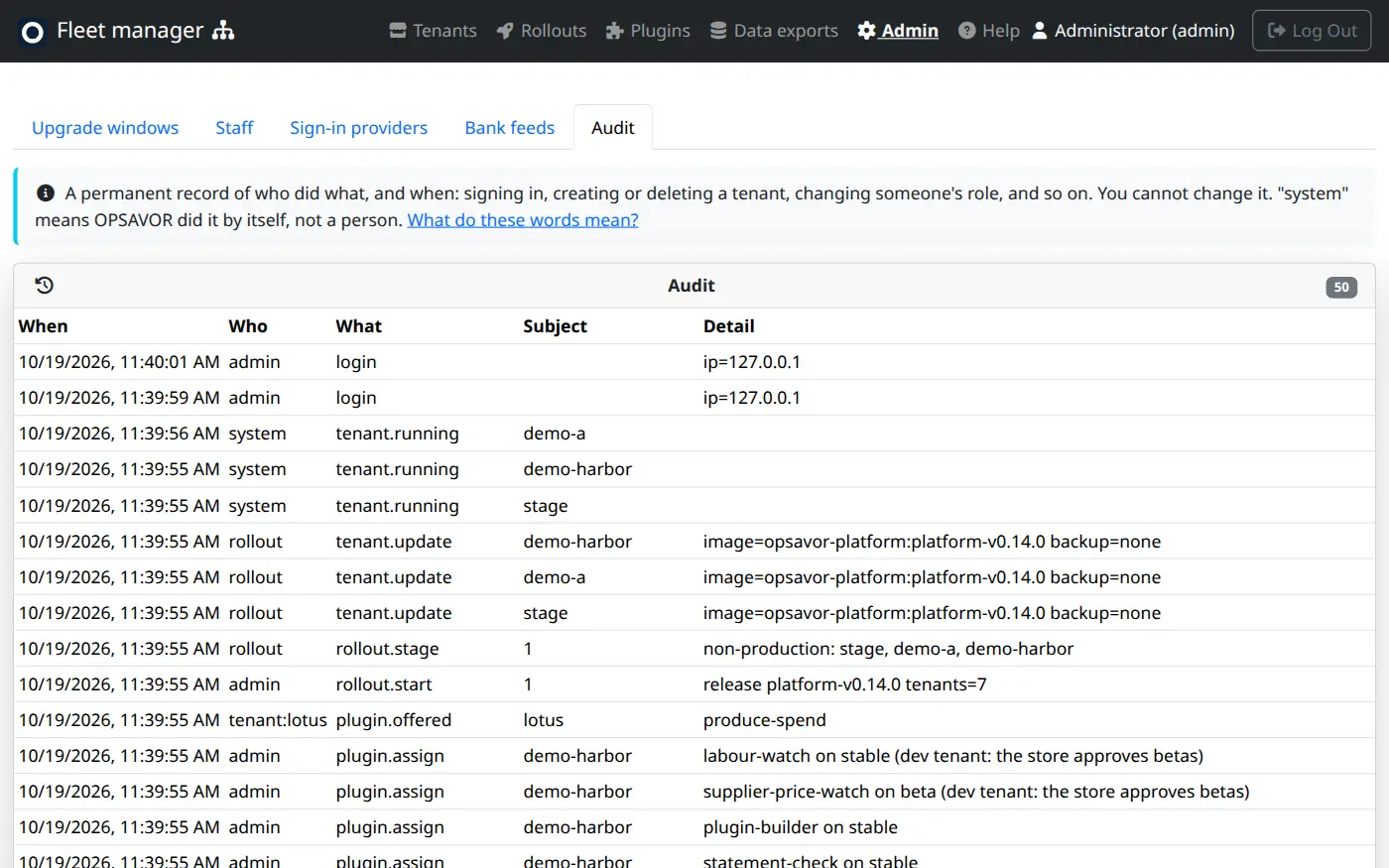
Audit lists everything that was done and by whom, newest first. If something changed and nobody knows why, look there before asking anyone. It is where you also find who impersonated a customer and the reason they gave.
When to ask for help
If a rollout halts and you cannot see why, or a customer's data looks wrong, stop and ask an engineer. Before anything risky, take a backup from the customer's page first. Never delete a real customer to "start again".