
Home › Plugins
Build a plugin with Savy
Owners can describe what they want to see, and Savy builds a plugin for it, previews it on their own records and adds it for approval.
Only people who can manage plugins (owners, by default) see the plugin builder. It needs a platform release with Savy skills (v0.13.0 or later) and the Plugin Builder plugin turned on for your business. See Beta, demo and planned features.
You do not write any code. You say what you would like to see or be reminded of, in your own words, and Savy builds a plugin for it.
Build one
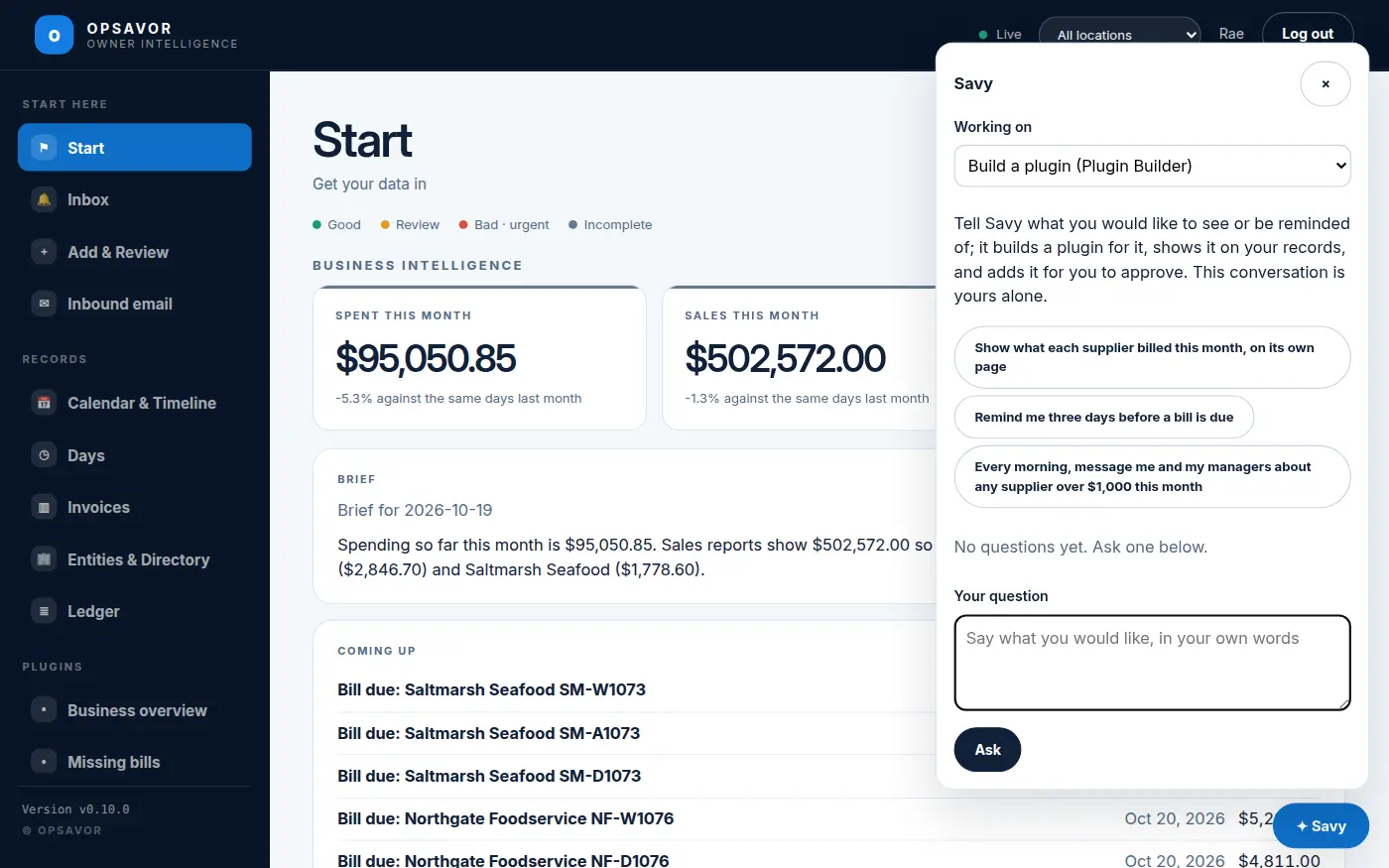
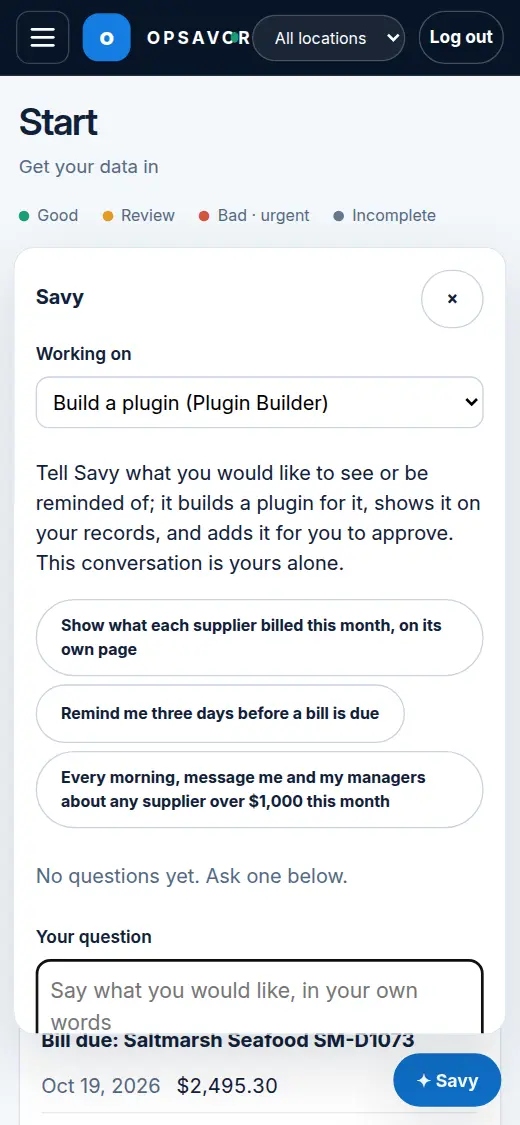
- Open Savy and pick the skill. Press the Savy button. When skills are available, a menu appears in the drawer. It starts on Questions about the records. Choose Build a plugin (Plugin Builder). This conversation is yours alone.
- Say what you want. For example "show what each supplier billed this month" or "remind me before a bill is due". The box says Say what you would like, in your own words, and offers three ideas to start from: Show what each supplier billed this month, on its own page; Remind me three days before a bill is due; Add a card on Start with this week's sales against last week's. Savy asks at most one short question if it is unclear.
- Look at the preview. Savy checks what your records hold and says plainly what is missing. It then tries the plugin on your real records and describes what you will see, with real figures. Nothing is added yet.
- Say yes, or ask for changes. Only when you say yes does Savy add the plugin. A note in the drawer says it was added and links to Plugins.
- Approve it. The new plugin is marked built here and waits for you on the Plugins screen. Read What it may do and press Approve and turn on. See Plugins.
You can also ask Savy to change a plugin built here (it makes a new version), or to start from a store plugin under a new name.
The Plugin maker
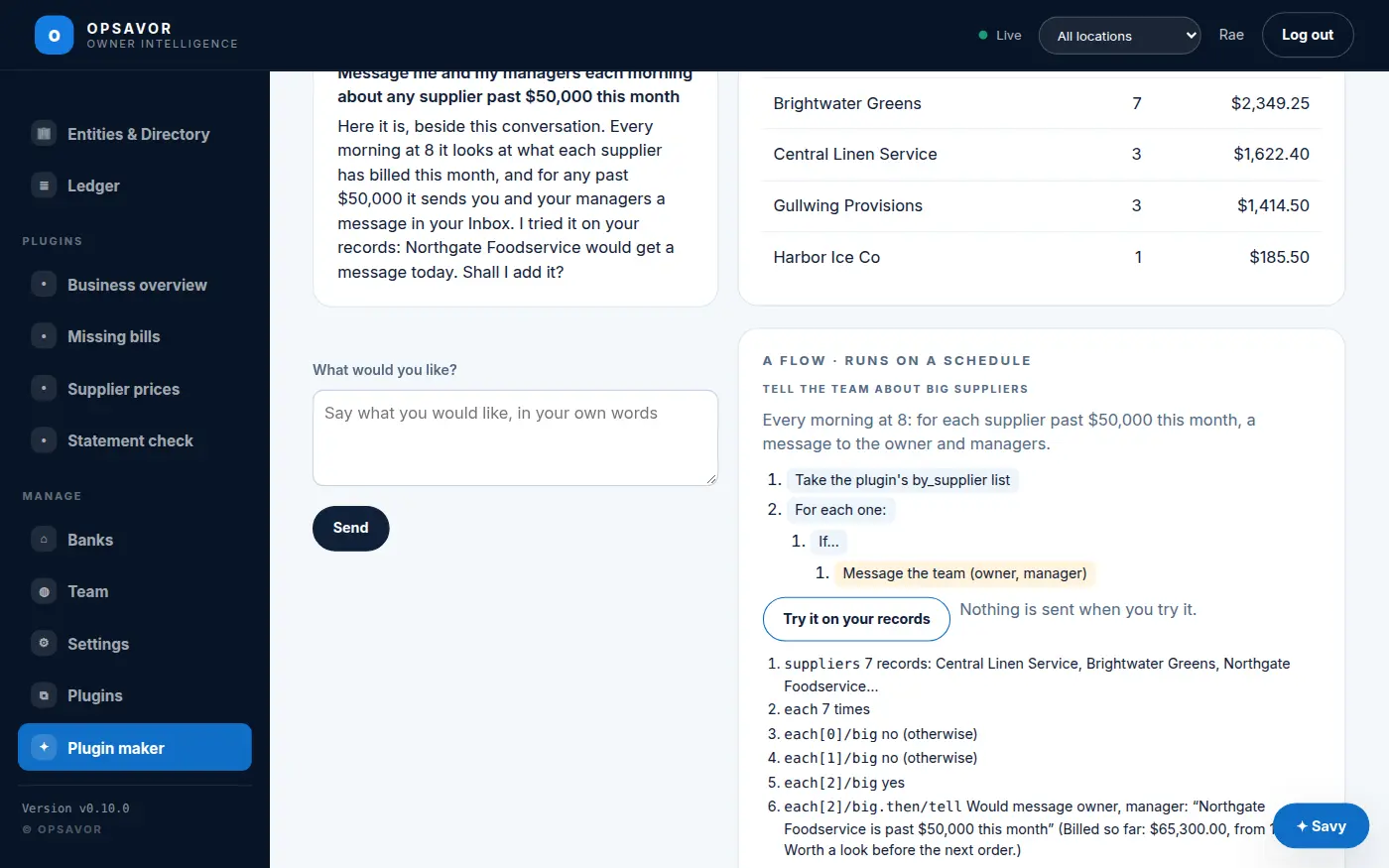
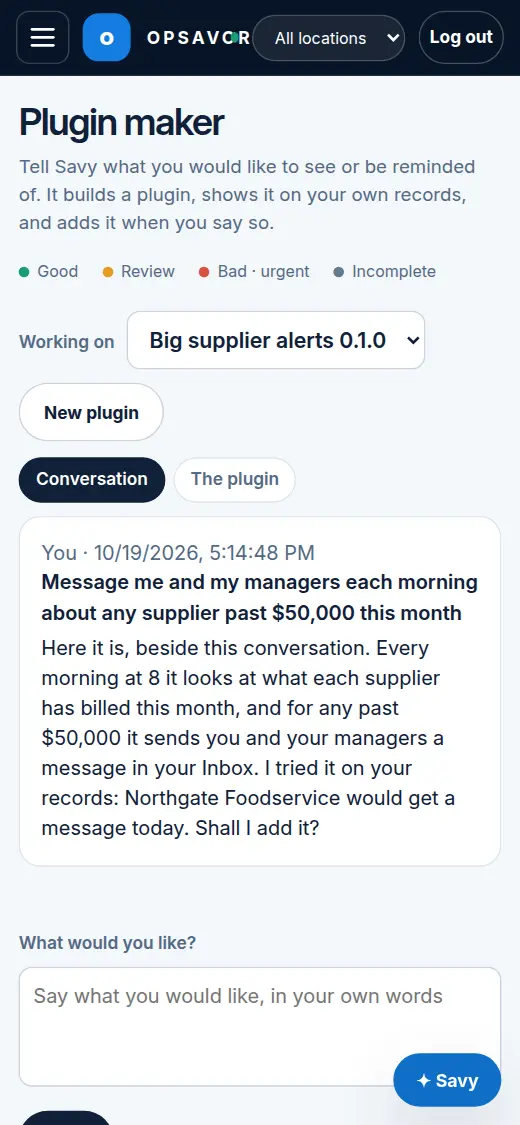
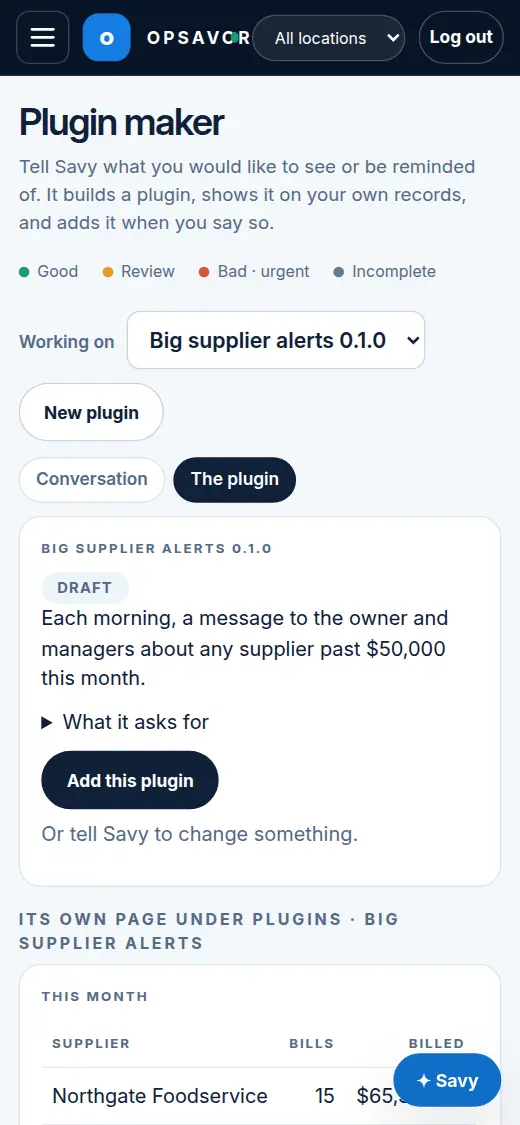
From platform v0.15.0, owners also have the Plugin maker (Manage → Plugin maker): the same Savy, on a screen of its own. You talk on one side; on the other, the plugin appears as it will look, drawn on your own records, with what it asks for in plain words. When it is right, press Add this plugin, then Approve and turn on, then Open its page.
- Flows are drawn as steps you can read ("For each one → If… → Message the team"). Try it on your records shows what each step would do today, with nothing sent.
- Working on keeps each plugin you are making separately, so you can come back to one later. New plugin starts another.
- Change with Savy, on a plugin you built (Plugins screen), opens it in the maker as it is; tell Savy what to change and it makes a new version for you to add.
- On a phone, switch between Conversation and The plugin.
What a plugin built here can and cannot do
- It shows cards and pages, and posts notices in the app only. It cannot send email.
- It cannot see people or personal details.
- It has a small daily budget for the AI model: at most 20,000 tokens and 20 calls a day.
- It cannot change your records, call the internet or read any other business.
- Like every plugin, it does nothing until you approve it, and you can Turn off or Remove it at any time.
If your records do not hold what a plugin needs, Savy tells you so, rather than showing a made-up figure.
Offer to OPSAVOR
If a plugin works well, press Offer to OPSAVOR on its card on the Plugins screen and confirm. OPSAVOR may improve it and make it a store plugin that other businesses can use.
What is sent is the plugin itself. Your documents, figures and people stay in your business. Change your mind with Take back the offer. If OPSAVOR makes a store version, it takes the place of yours: at once if it asks for nothing more than you approved for yours, otherwise once you approve it.